
Home
PartSmart


Stay in control. Avoid unnecessary fees.
Managing returns just got easier. Our new PartSmart tool gives you visibility into your returns activity so you can make informed decisions and reduce costs.
Here's what you need to know:
We're implementing a Return to Stock (RTS) Fee.
A simple return to stock fee is being introduced to help keep the process smooth for everyone. If you're over 15% RTS, we're adding a $3 per‑item charge for each return. We won't break your bank, but it'll help returns move quicker and keep everyones inventory in check.
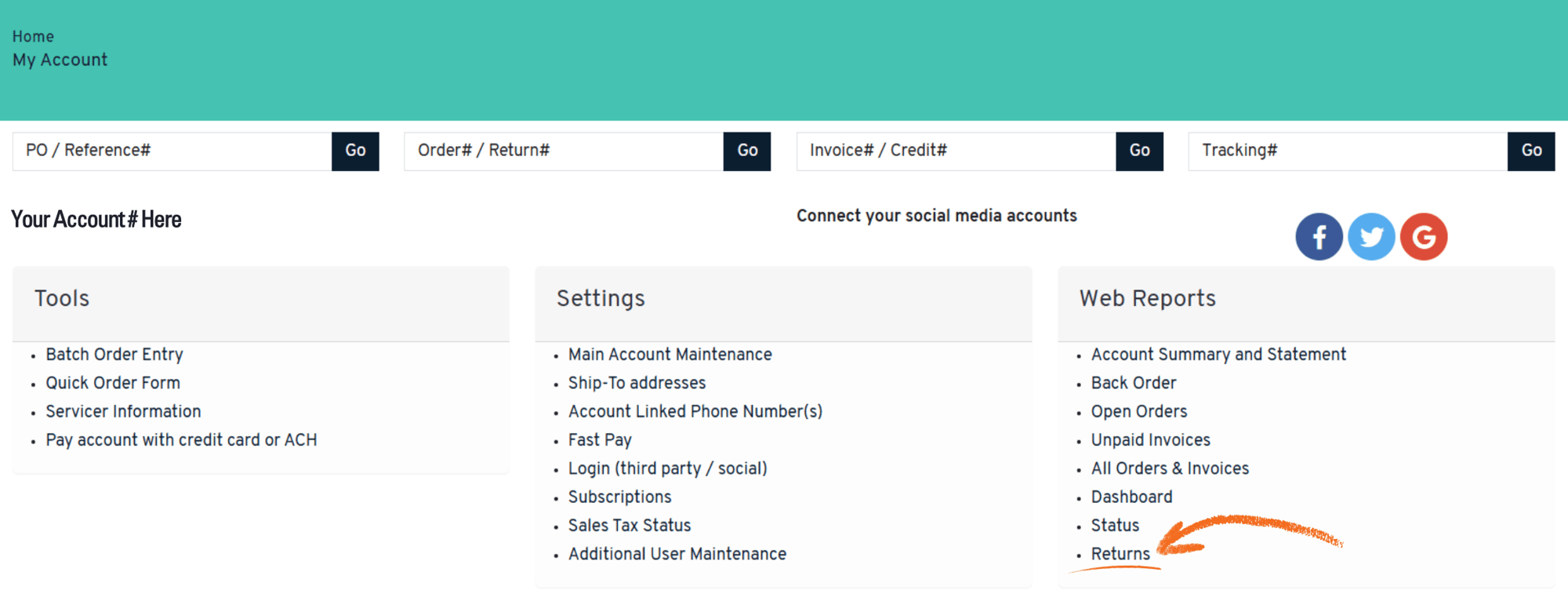
How to find your RTS percentage:
1. Login to your encompass account
2. Go to My Account
3. Under Web Reports select Returns
More on the RTS fee:
Customers exceeding 15% Return to Stock of purchases will be subject to a nominal restocking fee.
The restocking fee is determined by the return rate of the previous 3 month period, excluding the current month.
If your RTS percentage is over 15%, a $3 restocking fee will be applied to each part at the time of return, reducing the part credit.
Start tracking your RTS and avoid return fees. It'll lead to smarter returns, inventory organized, and real savings.
(Plus, Ask your sales rep how our EZ Stock app can help!)
RTS Percentage Examples
15% and under RTS
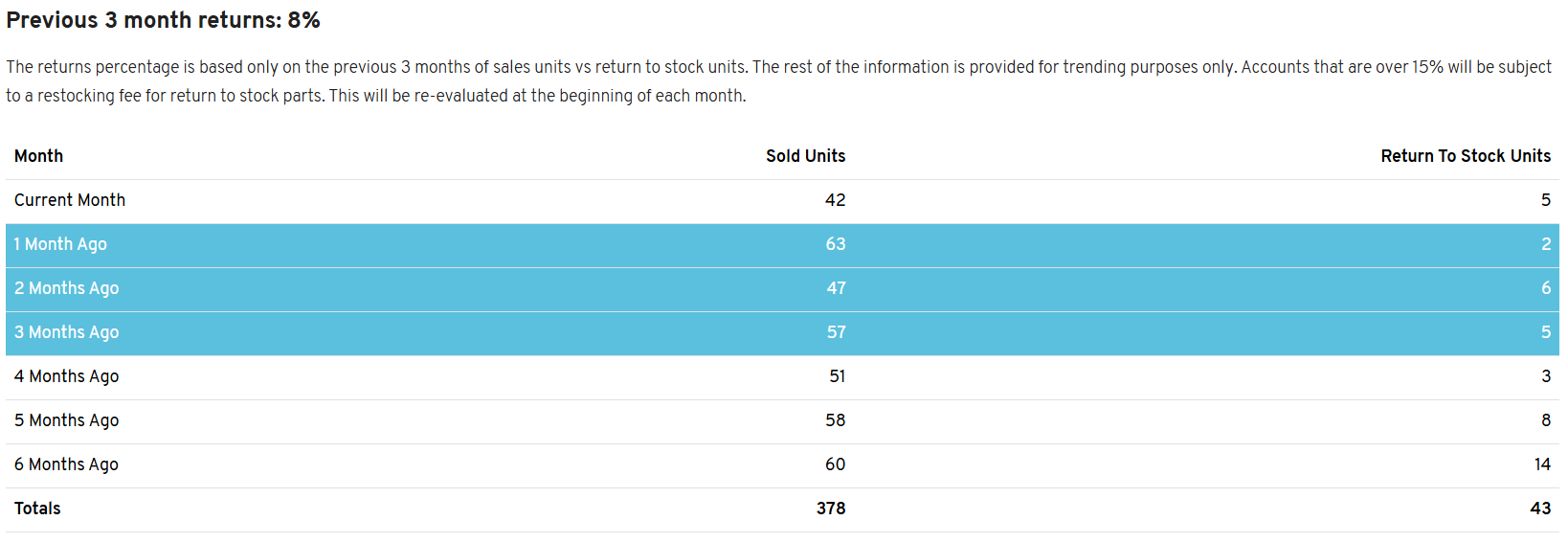
Current RTS Percentage: 167 Sold Units, and 13 Return To Stock Units from the last 3 months. 13/167 rounds to 8%.
Next Month RTS Percentage: 152 Sold Units, and 13 Return To Stock Units from the last 3 months. 13/152 rounds to 9%.
Over 15% RTS
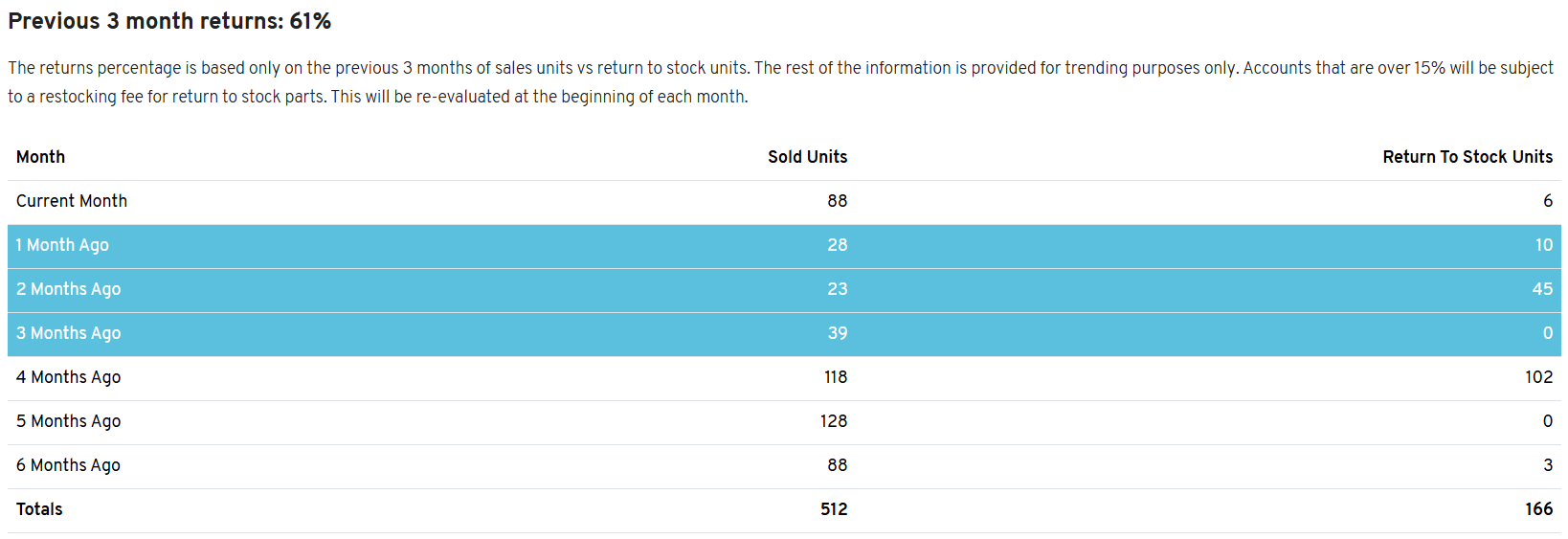
Current RTS Percentage: 90 Sold Units, and 55 Return To Stock Units from the last 3 months. 55/90 rounds to 61%.
Next Month RTS Percentage: 139 Sold Units, and 61 Return To Stock Units from the last 3 months. 61/139 rounds to 44%.